
Zeugnis anfragen
Mitarbeitende haben die Möglichkeit ein Zeugnis direkt via Skriba anzufragen. Dazu können sie wie folgt vorgehen:
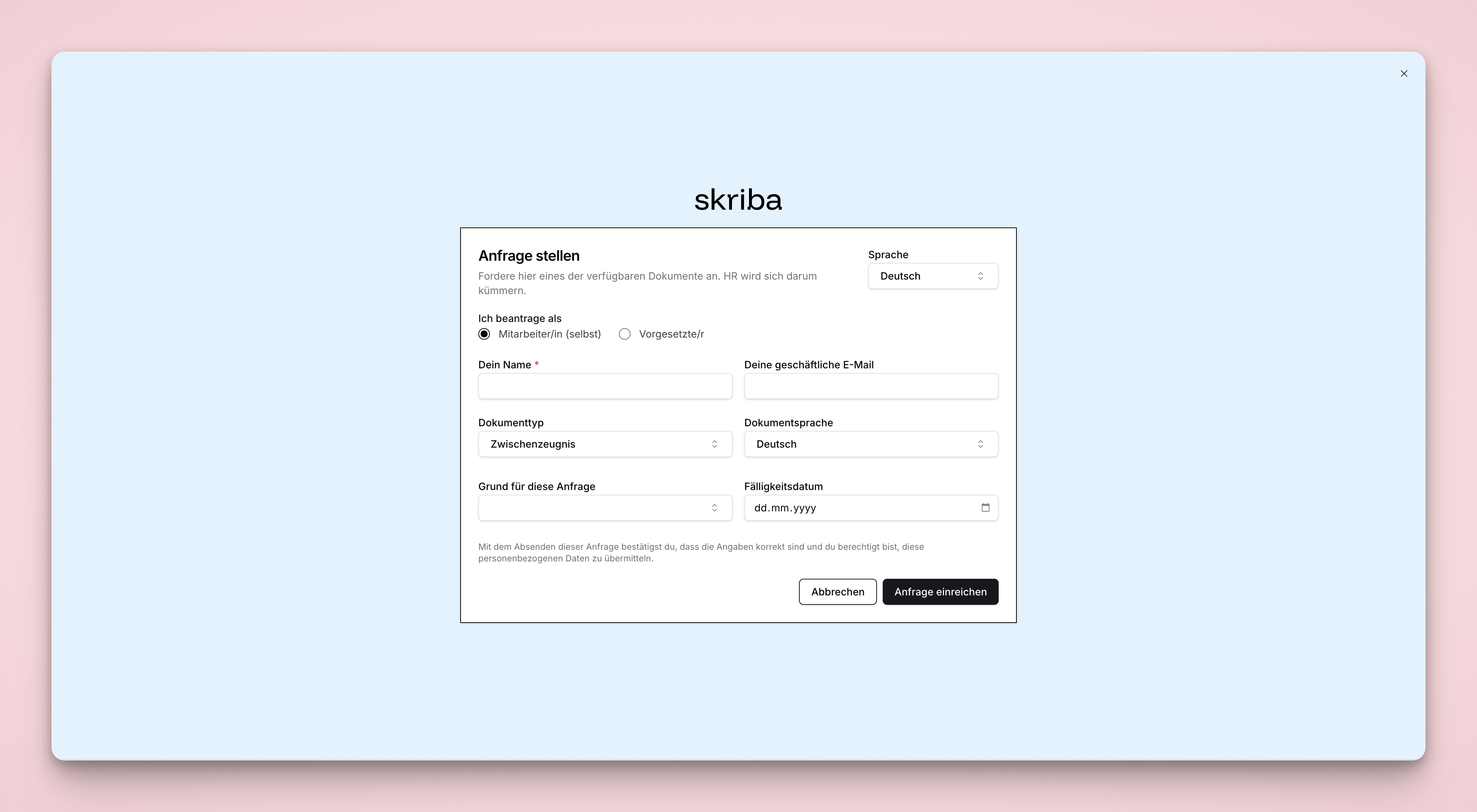
Gehen Sie auf
app.skriba.ch/ihr-unternehmen/login.Klicken Sie auf
Dokument benötigt? Hier anfragenunten an der Seite.Füllen Sie das Formular aus und senden Sie dieses ab. Achten Sie auf die Pflichtfelder
Dein Nameundgeschäftliche E-Mail Adresse.Das HR erhält anschliessend eine E-Mail, dass ein Zeugnis angefragt wurde und kann dieses anschliessend in Skriba starten über die Zeungnisübersicht
Anfragen.