
Anpassen der Sprache im Profil (Benutzeroberfläche)
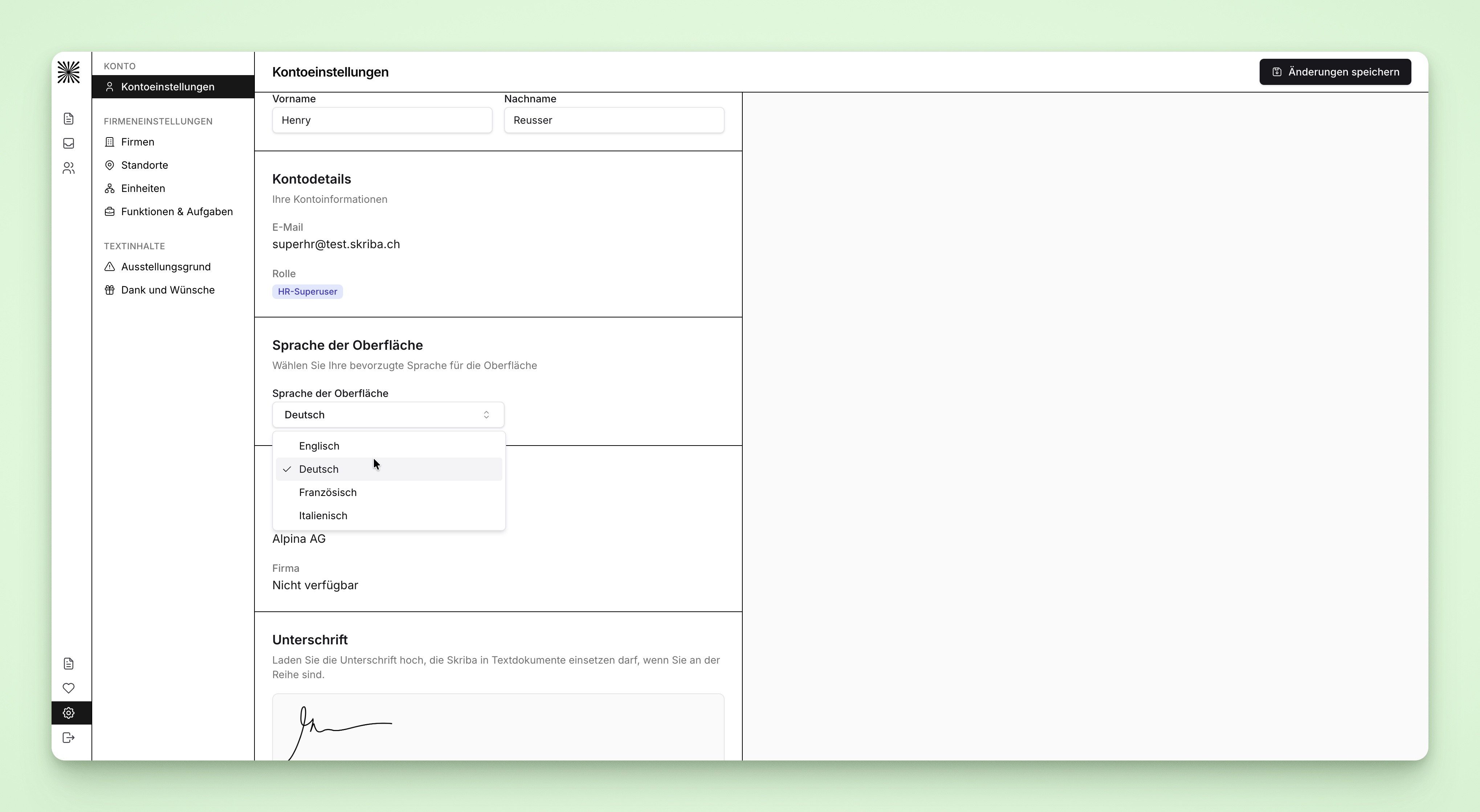
Logge dich in Skriba ein
gehe auf
EinstellungenKlicke auf
KontoeinstellungenWähle die gewünschte Sprache im
Dropdownklicke auf
Änderungen speichernoben rechts
Logge dich in Skriba ein
gehe auf Einstellungen
Klicke auf Kontoeinstellungen
Wähle die gewünschte Sprache im Dropdown
klicke auf Änderungen speichern oben rechts