
Skriba changelog
Editing without mode switching
Feature Release
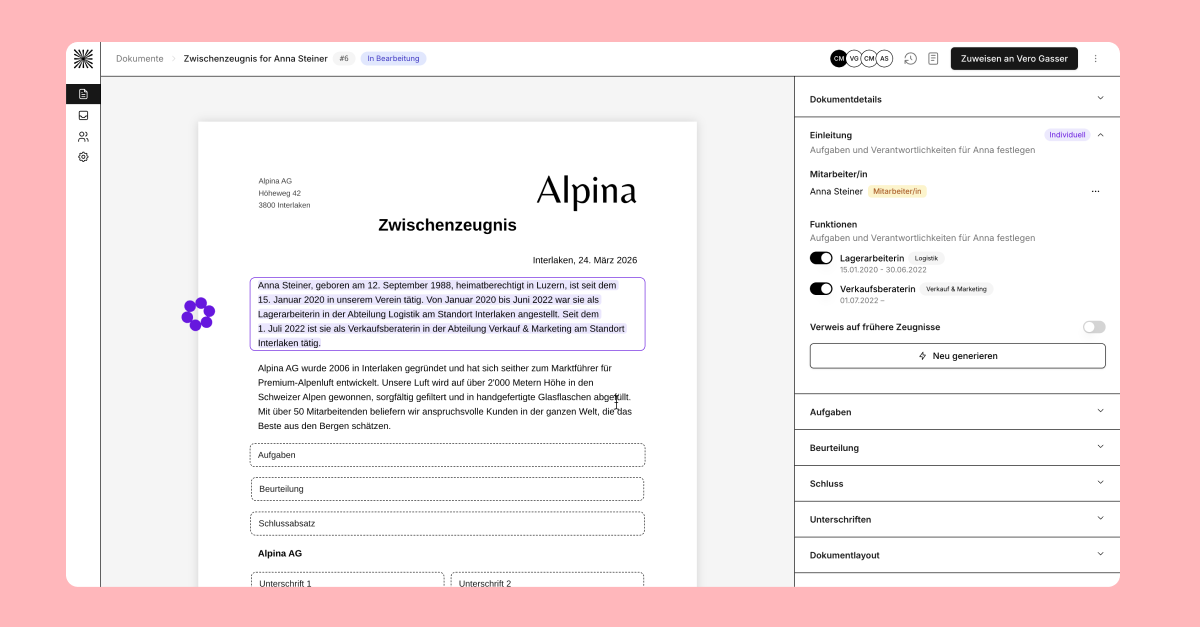
Preview and editing are now directly connected to each other.
We have removed the previous toggle and integrated editing directly into the document.
Texts can be edited and regenerated there via context menu or double-click. You open the context menu with a simple click on the desired text.
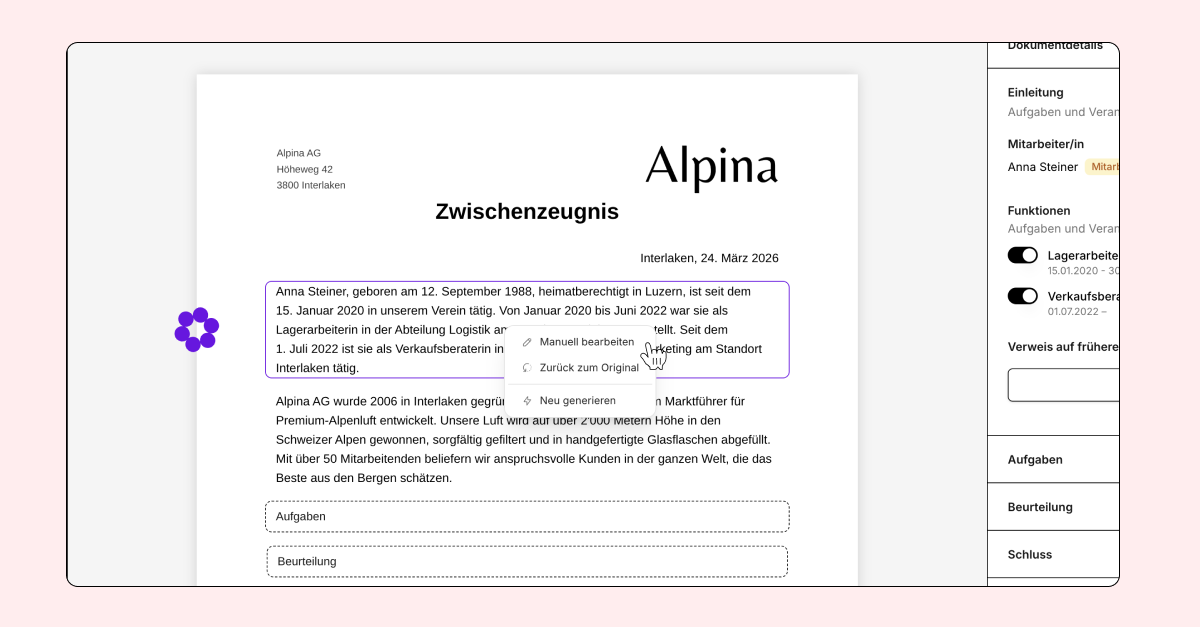
For assessments, you can, as before, specifically adjust individual sentences or manually edit the entire assessment. Changes are saved automatically and manually adjusted content is clearly marked.
The existing permissions remain unchanged. HR and managers can continue to edit only the content intended for their respective role.
Evaluation and document types with predefined texts
Version Release
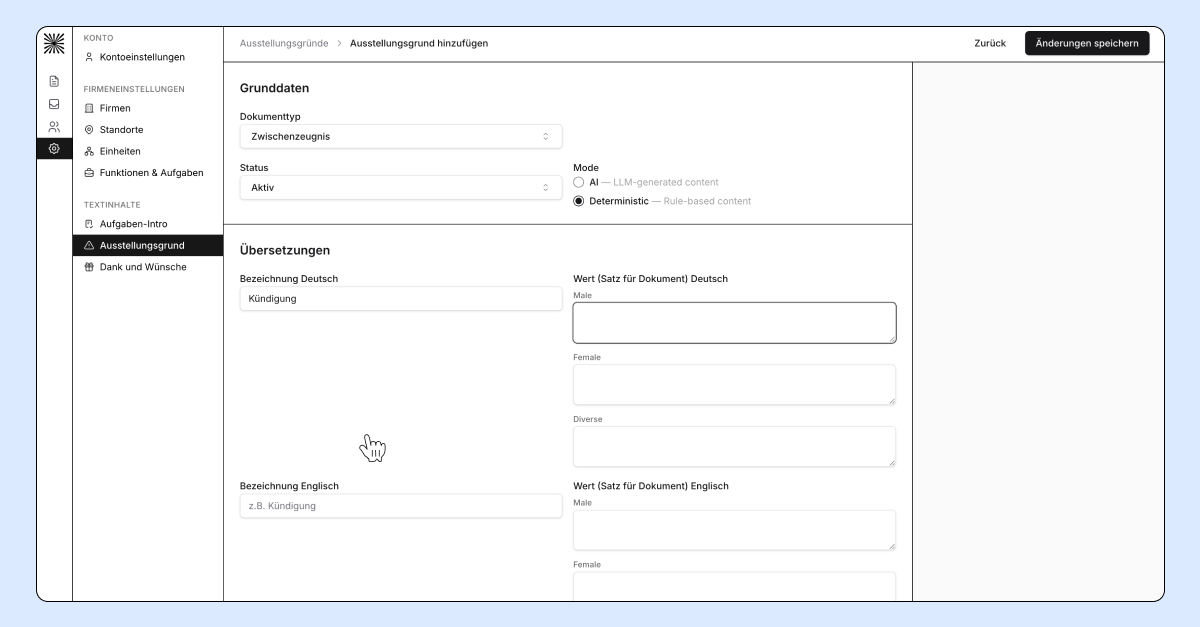
Evaluation categories and rating scales can now be configured. Custom categories, rating levels, labels and required evaluations can be used differently depending on the document type.
Custom document types can also be configured. For example, you can create a dedicated internship certificate and define exactly which content and sections it should include.
AI or predefined texts: For task introductions, evaluations, reasons for issuing the document, as well as thanks and future wishes, you can define whether the text is generated by AI or a predefined text is used.
Would you like to adapt evaluations, rating scales or document types to your requirements? Contact us and we’ll configure them together with you.
Work Reference 2.0, Delete Requests and More
Improvements
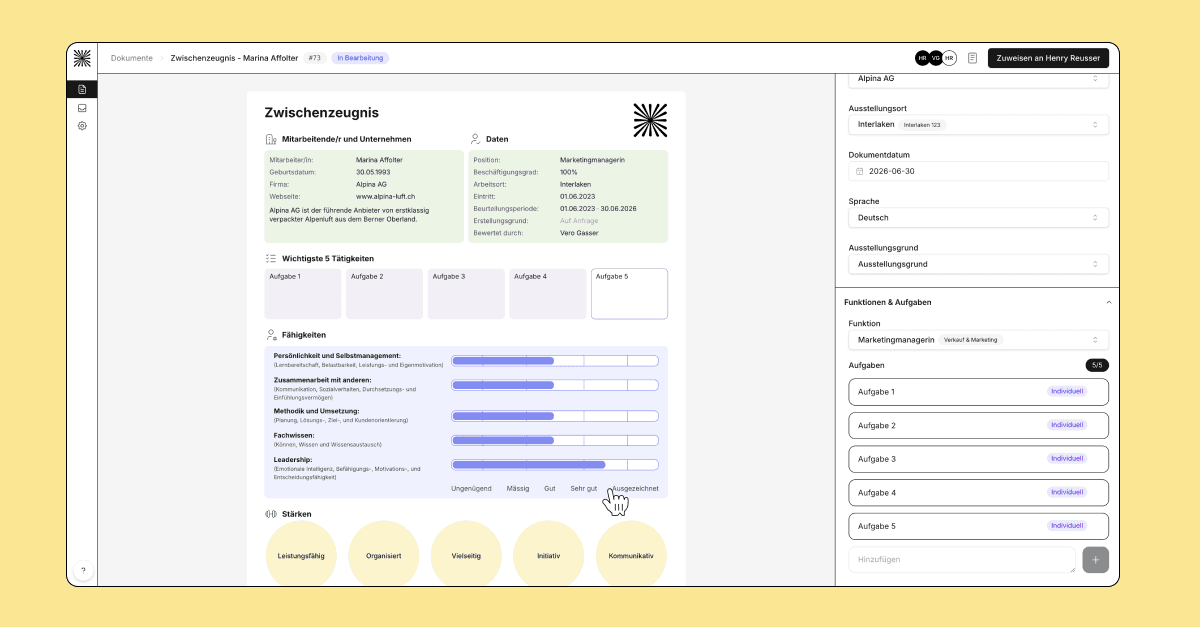
Employment Certificate 2.0
End dates are no longer displayed on interim certificates.
The employment start date now uses the employee's first employment date.
The employment end date now uses the employee's last employment end date, if available.
Empty placeholders are no longer displayed in PDFs.
The "Good to know" section now uses the present tense for interim certificates.
The {Employee} variable is now correctly resolved in the "Good to know" section.
Leadership evaluations now start at 50%.
Evaluation sliders now support 0.5 point increments.
Empty task sections are hidden in PDFs.
German wording has been aligned with the official Employment Certificate 2.0 version.
The document number is now displayed in the application.
Managers can no longer accidentally complete documents.
Delete Requests
HR users can now delete document requests directly from the requests overview.
Add New Occupations
HR users can now add a new occupation even if the current occupation has no end date. The previous occupation is automatically closed on the day before the new one begins.
Fonts
Unsupported fonts are detected and reported before use.
PDFs are only generated when all required fonts are available.
Standard fonts such as Arial, Helvetica, and Times New Roman are handled consistently.
Other Changes
This release also includes various bug fixes and smaller improvements, including updates to signers, document templates, and overall system stability.
Edit the Entire Evaluation Manually
Feature Release
Improvements
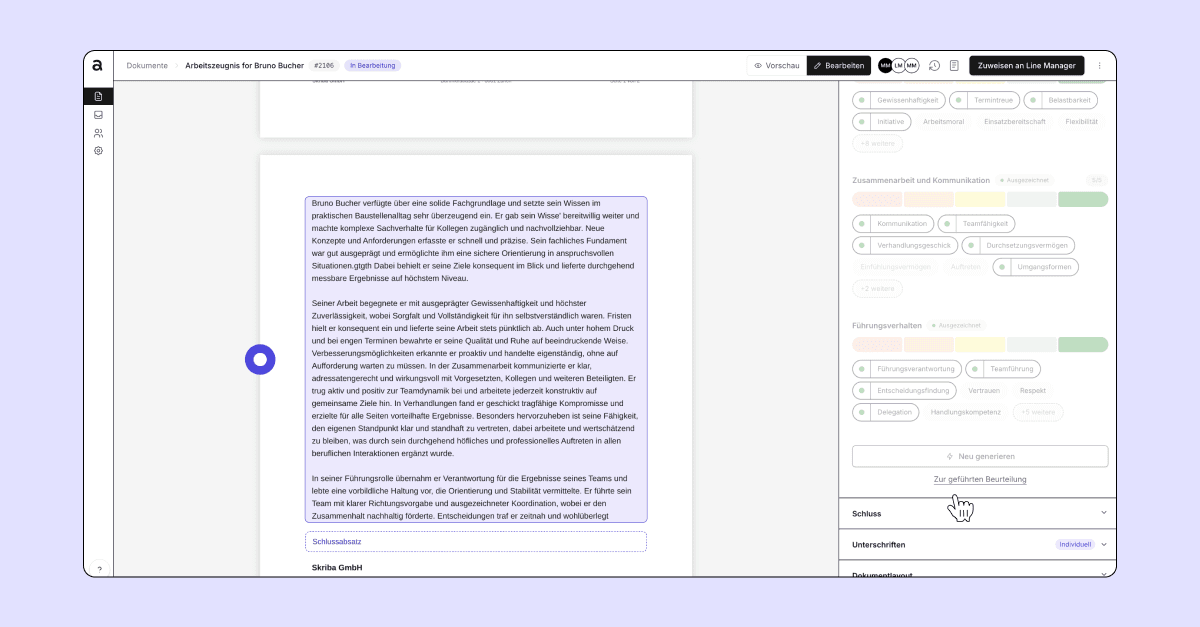
Evaluations can now be edited entirely as free text. Users can switch between guided evaluations and manual editing at any time without losing previously entered content.
The document editor has also been improved. Manually edited content is highlighted more clearly, individual sections can be reset more easily, and changes are tracked more comprehensively in the document history.
Optimized Evaluation Editing
Improvements
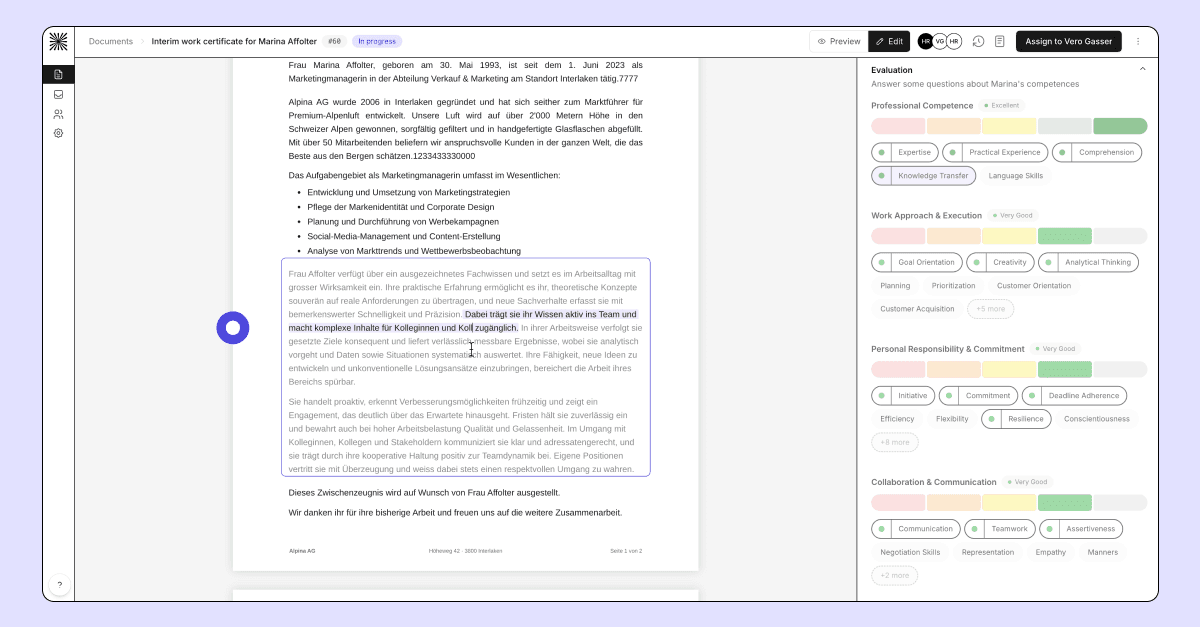
Evaluation editing in the document editor has been further improved. Individual sections can now be edited more precisely directly within the text while maintaining the link to the corresponding evaluation criteria. In addition, content removal has been streamlined and several issues related to saving and display have been resolved.
The highlighting of evaluation criteria within the editor has also been improved, and the stability of the preview and PDF download functionality has been enhanced.
Simple Electronic Signature
Feature Release
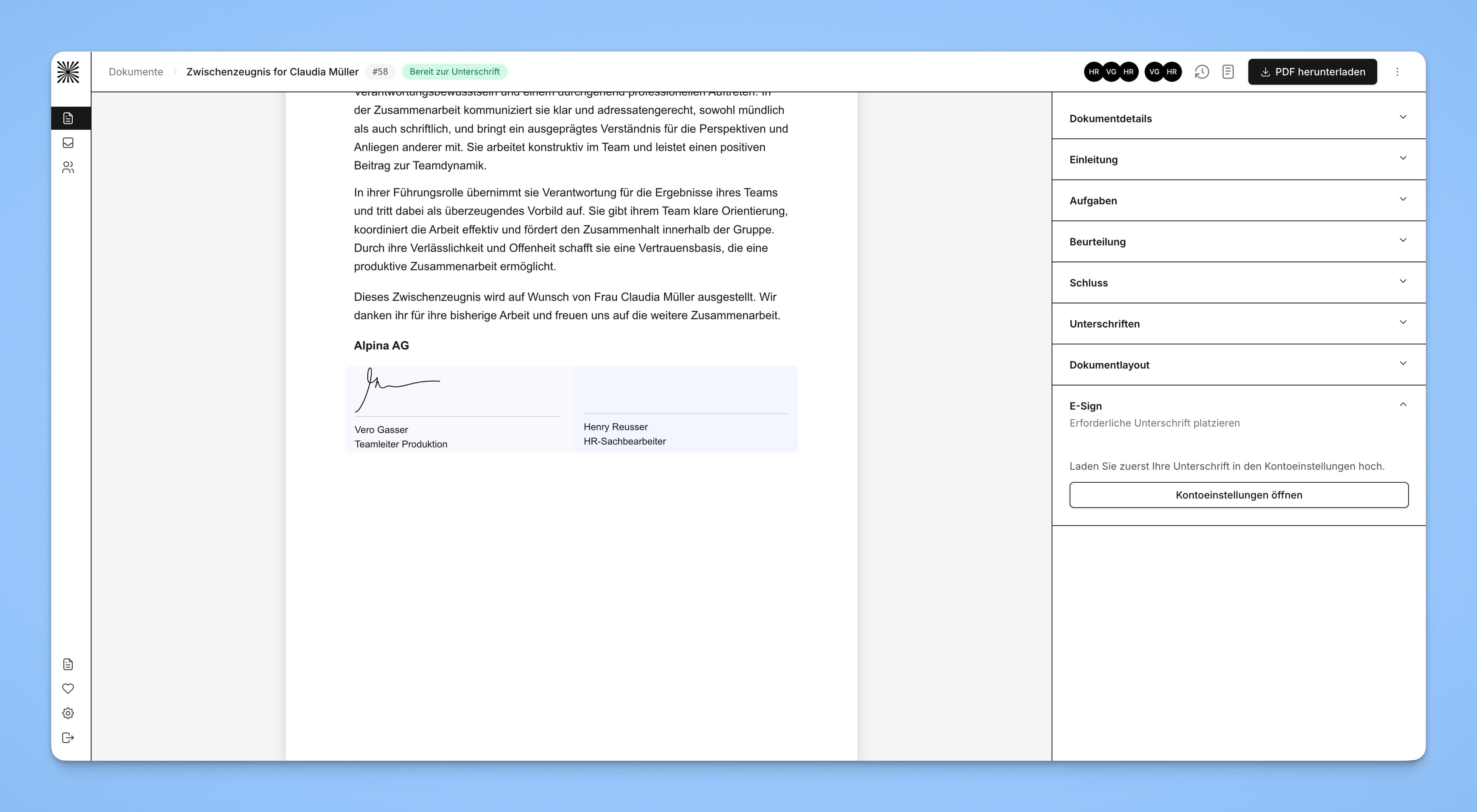
The simple electronic signature allows documents to be signed directly within Skriba. HR professionals and managers can upload and store an image of their signature in their personal profile. The stored signature can then be used to sign documents electronically. As each signature is accompanied by a timestamp, every user must upload their own signature personally.
Individual Ratings
Feature Release
Improvements
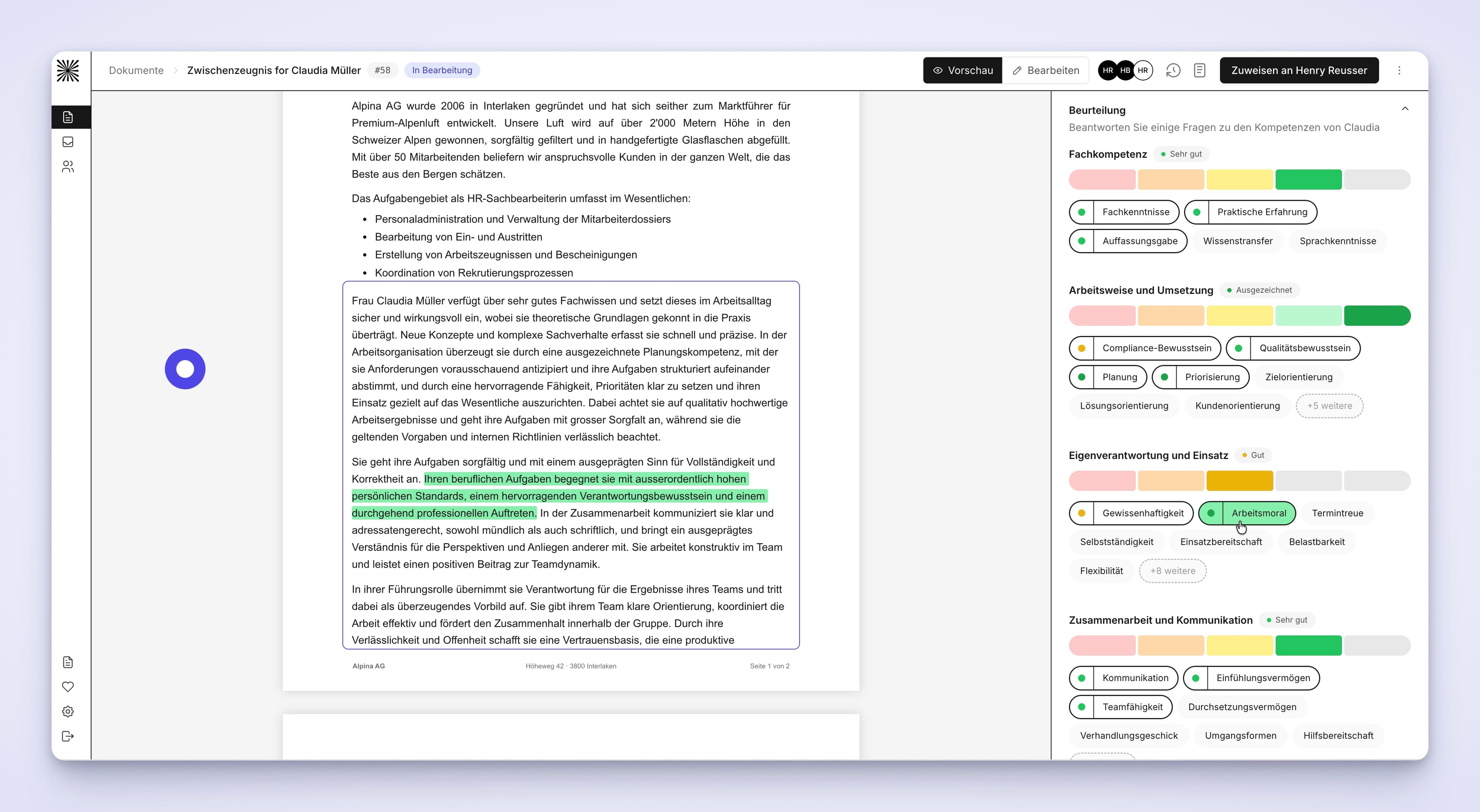
Evaluations have been significantly enhanced and now support individual ratings for each chip. In addition, chip-level interactions have been improved, targeted sentence regeneration has been introduced, chips within the same category are handled more intelligently, and manual text edits are preserved more reliably.
The AI-generated evaluation text has been refined to create more differentiated and context-appropriate assessments. Repetitive phrasing has been reduced, punctuation has been improved, attribution handling has been refined, and overall wording has been further polished.
Change tracking has been expanded. The history now records adjustments to chips and ratings, manual text edits, and changes to the structure of evaluation sections in greater detail.