
Skriba changelog
Editing without mode switching
Feature Release
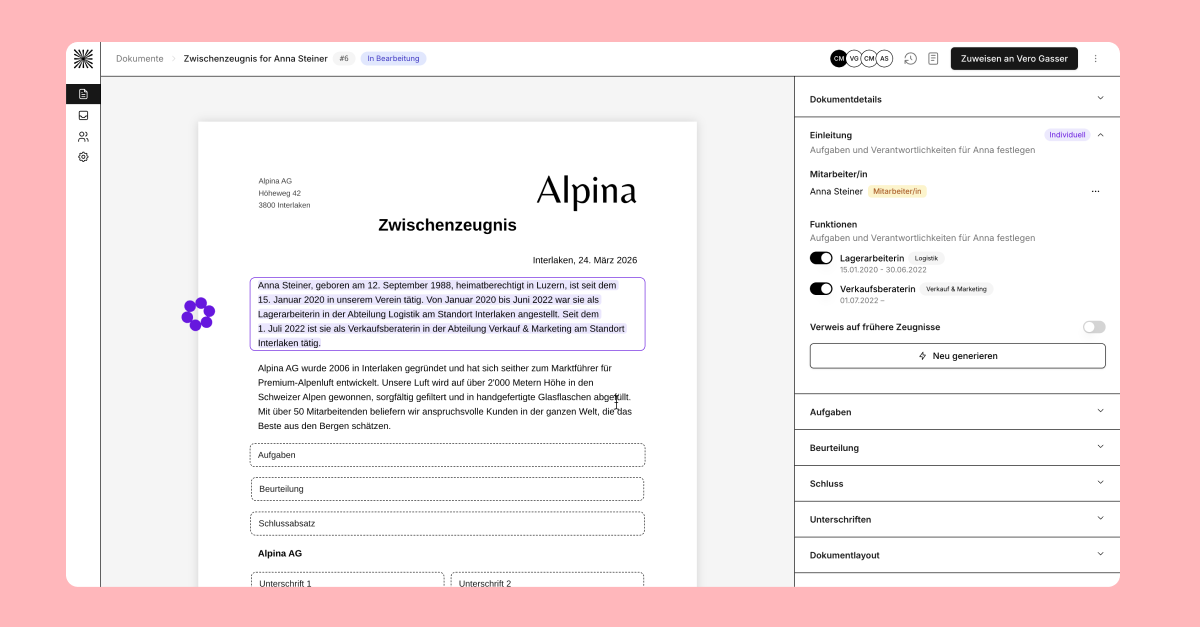
Preview and editing are now directly connected to each other.
We have removed the previous toggle and integrated editing directly into the document.
Texts can be edited and regenerated there via context menu or double-click. You open the context menu with a simple click on the desired text.
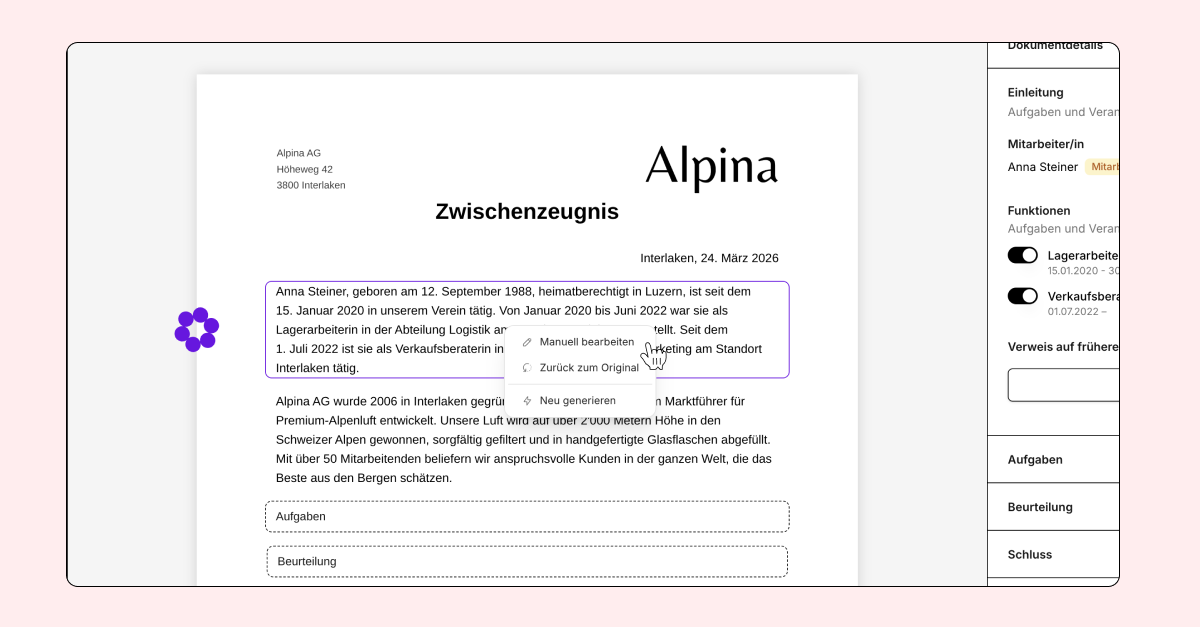
For assessments, you can, as before, specifically adjust individual sentences or manually edit the entire assessment. Changes are saved automatically and manually adjusted content is clearly marked.
The existing permissions remain unchanged. HR and managers can continue to edit only the content intended for their respective role.